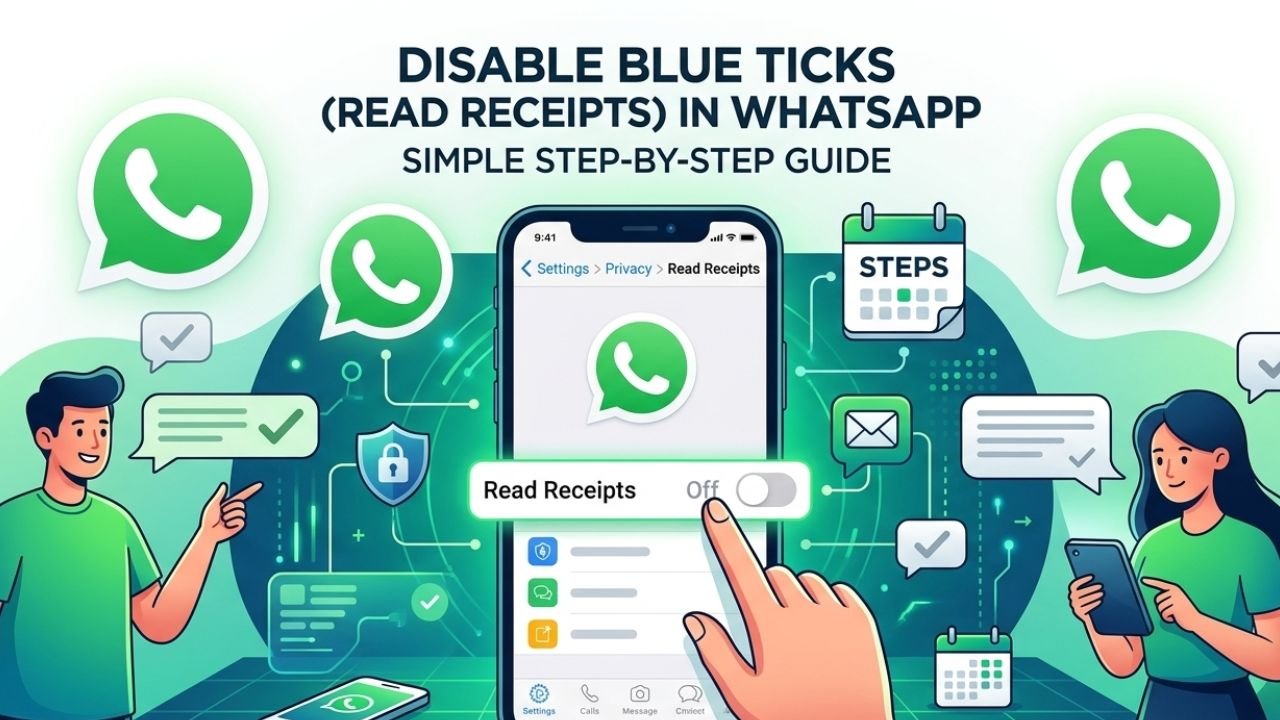
You open WhatsApp for a quick message check. A few minutes later, a person will ask you why you have not responded yet, and one can distinguish that one has already read the message. Many users can relate to such a scenario. Read receipts were designed to improve communication, yet they sometimes create pressure that people do not want. This is where knowing how to off blue tick in WhatsApp becomes useful. A small privacy setting can change the way you use the app. It allows you better control of your conversations and allows you to choose when to reply. Simultaneously, knowing the extent of this feature will help you to prevent the unexpected, particularly in group discussions and business-related meetings.
What Are Blue Ticks and Why Do People Disable Them?
Blue ticks are WhatsApp’s way of showing that a message has been read. They are included in a basic message tracking system, which assists the users in knowing the status of a conversation. The fact is that blue ticks are observed by most individuals only when they enter their everyday communication. The friend might be expecting a response since he or she observed blue ticks. A co-worker might believe you are free as you read his mail. These expectations are normally harmless, but they might sometimes pose unwarranted pressure.
| Tick Status | Meaning |
| One Grey Tick | Message sent |
| Two Grey Ticks | Message delivered |
| Two Blue Ticks | Message read |
People usually disable blue ticks because they want more privacy. A student may read messages during a lecture and reply later. A business owner may check conversations after working hours without wanting to start another discussion immediately. In both cases, read receipts create expectations that are not always convenient.
That is why searches related to how to turn off blue tick in whatsapp continue to grow. Users want flexibility without disconnecting completely from the platform.
How to Off Blue Tick in WhatsApp for Better Privacy
The enabling option of blue ticks is referred to as Read Receipts. It is incorporated with WhatsApp in the Privacy section and enables the setting on Android, iPhone, and desktop apps. By switching off Read Receipts, other users do not know when you have read their personal messages. However, WhatsApp applies the same rule to everyone. Consequently, you also lose the chance to get the knowledge that others are reading what you are saying. Lots of individuals believe it is an equitable deal since the privacy added is more valuable than the lost read confirmations.
Can You Turn Off Blue Ticks Without Disabling Other Features?
A significant number of users fear that when read receipts are turned off, messaging may be compromised. Luckily, disabling blue ticks does not affect message delivery, message encryption, sharing of media, or regular chat activities. The change only affects read status visibility in personal conversations.
How to Remove Blue Ticks on WhatsApp?
For many users, there is a demand to have a speedy solution to prevent other users from knowing when they have read a message. WhatsApp permits it with its option of Read Receipts. It can be performed in a few seconds and applies to various devices. Each of these has its unique steps to follow, based on your Android, iPhone or WhatsApp Web usage.
How to Disable Blue Ticks on Android Phones
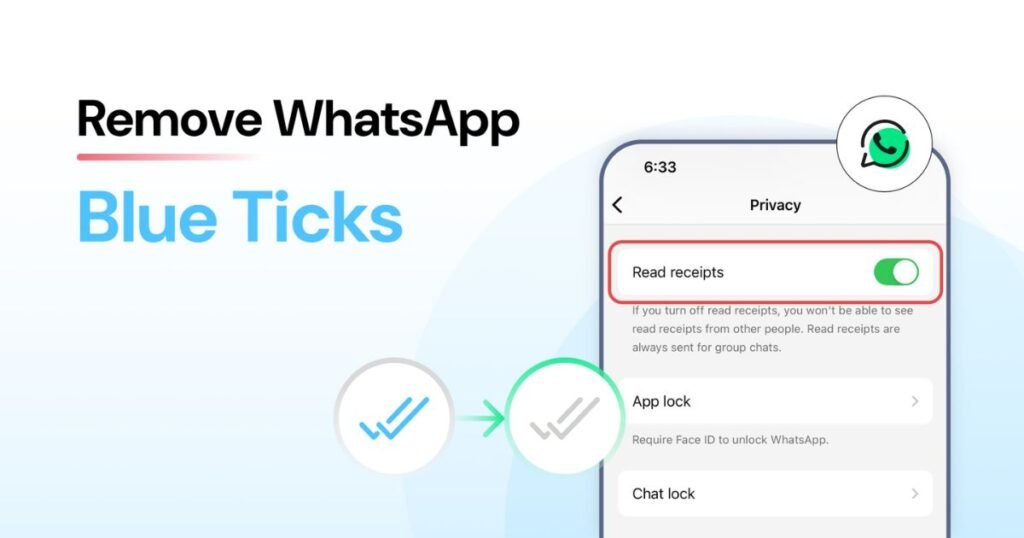
Android users can disable read receipts through the WhatsApp settings menu.
Open WhatsApp and tap the three-dot icon in the upper-right corner. Choose Settings, then select Privacy. Scroll until you find Read Receipts and switch the toggle off.
The change becomes active immediately. From that point forward, your contacts will no longer see blue ticks when you read personal messages.
How to Turn Off Read Receipts on iPhone (iOS)
The iPhone version follows a similar process.
Open WhatsApp and tap Settings at the bottom of the screen. Next, select Privacy and locate the Read Receipts option. Turn it off and return to your chats.
Since WhatsApp saves changes automatically, you do not need to restart the application.
How to Hide Blue Ticks on WhatsApp Web / Desktop
Many professionals spend most of their day using WhatsApp Web. Fortunately, the same privacy controls are available on desktop devices.
Open WhatsApp Web or Desktop and access the settings section. Navigate to Privacy and disable Read Receipts. The setting synchronizes with your account, so it applies across linked devices.
How to Read WhatsApp Messages Without Sending Blue Ticks
Some users do not want to disable read receipts permanently. They simply need a way to preview a few messages quietly.
One of the easiest options involves reading messages from the notification panel. Since you do not open the chat directly, WhatsApp often avoids marking the message as read. Lock screen previews offer another practical solution. They let you glance at incoming messages without entering the application.
A third method involves Airplane Mode. Users disconnect from the internet, read and close WhatsApp and connect again. This has been a reliable trick in older versions but has been compromised by recent updates.
| Method | Reliability |
| Notification Preview | High |
| Lock Screen Preview | High |
| Airplane Mode | Medium |
| Home Screen Widget | High |
For occasional message checks, notification previews remain the most practical choice.
What Happens After You Turn Off Blue Ticks on WhatsApp?
The majority of privacy features come with a trade-off, and the same applies to WhatsApp. By turning off your read receipt, you are able to prevent sending blue ticks to others. However, you also lose access to their read receipts. As a result, you cannot confirm whether someone has seen your message. This change affects individual conversations only. Message delivery indicators continue working normally, and WhatsApp encryption remains unchanged.
The table below shows what changes after disabling the feature.
| Feature | Available? |
| Hide Your Read Status | Yes |
| See Others’ Read Status | No |
| Delivery Confirmation | Yes |
| End-to-End Encryption | Yes |
| Message Sending | Yes |
This balance is fair to many users since it makes privacy more meaningful than the information feedback about the fact that a message is read.
How Group Chats and Voice Notes Handle Read Receipts
People usually expect that disabling read receipts renders them all-invisible. However, the truth is not always like that.
Fusion conversations are not subject to the same rules. Participants can still check message information and see who viewed a message. Therefore, blue tick privacy does not work the same way inside group conversations.
Voice notes create another exception. Read indicators may still be activated by playing a voice message in most versions of WhatsApp. Voice note activity can be exposed even when the read receipts are switched off.
Suppose an important voice message is sent to you by a colleague. You can still play it and WhatsApp can still record it on their side, regardless of your privacy setting, though it will record your interaction as well. Due to this, even the users who care about their privacy will not launch voice notes until they are willing to communicate.
Read Receipts and Automation with WhatsApp Business API

Business messaging is not the same as personal messaging. Customer and support software, automation platforms, and other corporate tools are used by companies to control chats via the WhatsApp Business API. Such systems regularly monitor the events of deliveries and engagements based on the server-side reporting. Consequently, the information about the message status can look different in comparison to the way it looks within the conventional WhatsApp application.
To illustrate, a customer support team communicating with hundreds of customers daily could keep track of the message delivery statistics so that the clients could be updated. Such reports enable businesses to gauge the performance of communication even where individual users turn off some privacy settings. Since all business platforms are different with regard to reporting, organisations need to look at their messaging settings carefully rather than thinking that they operate in the same way as the ordinary WhatsApp application.
WhatsApp Privacy Features Worth Using in 2026
Disabling blue ticks is only one part of a complete privacy strategy. WhatsApp provides several other features that allow controlling your visibility and regulate personal information more efficiently.
The combinations of privacy settings by many users are not based on one particular feature. Such a solution establishes a more solid balance between privacy and accessibility.
| Privacy Feature | Benefit |
| Read Receipts | Hide message read status |
| Hide Last Seen in Whatsapp | Control activity visibility |
| Online Status | Reduce presence tracking |
| Profile Photo Privacy | Limit profile access |
| Status Privacy | Choose who sees updates |
| Disappearing Messages | Remove messages automatically |
When used together, these settings create a more controlled messaging experience without affecting everyday communication.
Best WhatsApp Privacy Settings to Use Alongside Blue Tick Control
Turning off read receipts is only one part of a stronger privacy setup. WhatsApp has a variety of settings that collaborate in order to minimize visibility and enhance personal information control. One of the practical strategies is to change your Last Seen settings, the visibility of your online status, and the access rights to profile photos. Disappearing Messages can also be helpful to users who send sensitive messages since such messages disappear after a specified time.
These settings are often used by many privacy-conscious users, rather than a single feature. That will make it more balanced and convenient to communicate. The privacy routine to follow might include turning off read receipts, setting profile visibility and ensuring to review status sharing preferences after a few months. Minor changes can be rather noticeable.
Real-Life Situations Where Turning Off Blue Ticks Makes Sense
The value of blue tick control becomes clear in everyday situations.
A university student may review messages while studying for exams and reply later when finished. A manager might read team updates during travel but wait until reaching a stable internet connection before responding. Parents often check family messages quickly while handling daily responsibilities and answer once they have time.
These examples show that the feature is not about avoiding communication. Instead, it allows users to communicate on their own schedule.
Conclusion
Learning how to off blue tick in WhatsApp can make messaging feel less demanding and more manageable. Switching off blue ticks is not about avoiding conversations but about enabling many users to communicate in a more comfortable way and at their own home time. In combination with additional privacy features, read receipt control can provide a more flexible and non-invasive messaging experience. Its setting can change in only a few seconds, but it provides more control of your privacy and when to respond. Group chats and voice notes still have some restrictions, but the trade-off is worth it to the majority of users. Should you not wish to create immediate anticipation by reading messages, one of the most efficient and easiest privacy enhancements is disabling read receipts within WhatsApp.
FAQs
Q1. Can I disable blue ticks for one contact only?
No. WhatsApp applies the read receipt setting to all personal chats.
Q2. Will people know that I turned blue ticks off?
They may notice because they stop receiving blue ticks after you read messages.
Q3. Do group chats follow the same rules?
No. Group conversations handle read information differently.
Q4. Does disabling blue ticks affect message delivery?
No. Delivery confirmations continue to work normally.
Q5. Are voice notes affected by read receipt settings?
Voice notes often remain an exception and may still reveal activity.
Q6. Does this feature impact WhatsApp security?
No. End-to-end encryption stays active regardless of read receipt settings.
Q7. Can I enable blue ticks again later?
Yes. You can switch Read Receipts back on at any time.
Q8. Is turning off blue ticks useful for business users?
Yes. Many professionals use it to manage conversations without immediate reply pressure.
Related Article: How to Hide Last Seen in WhatsApp and Protect Your Privacy