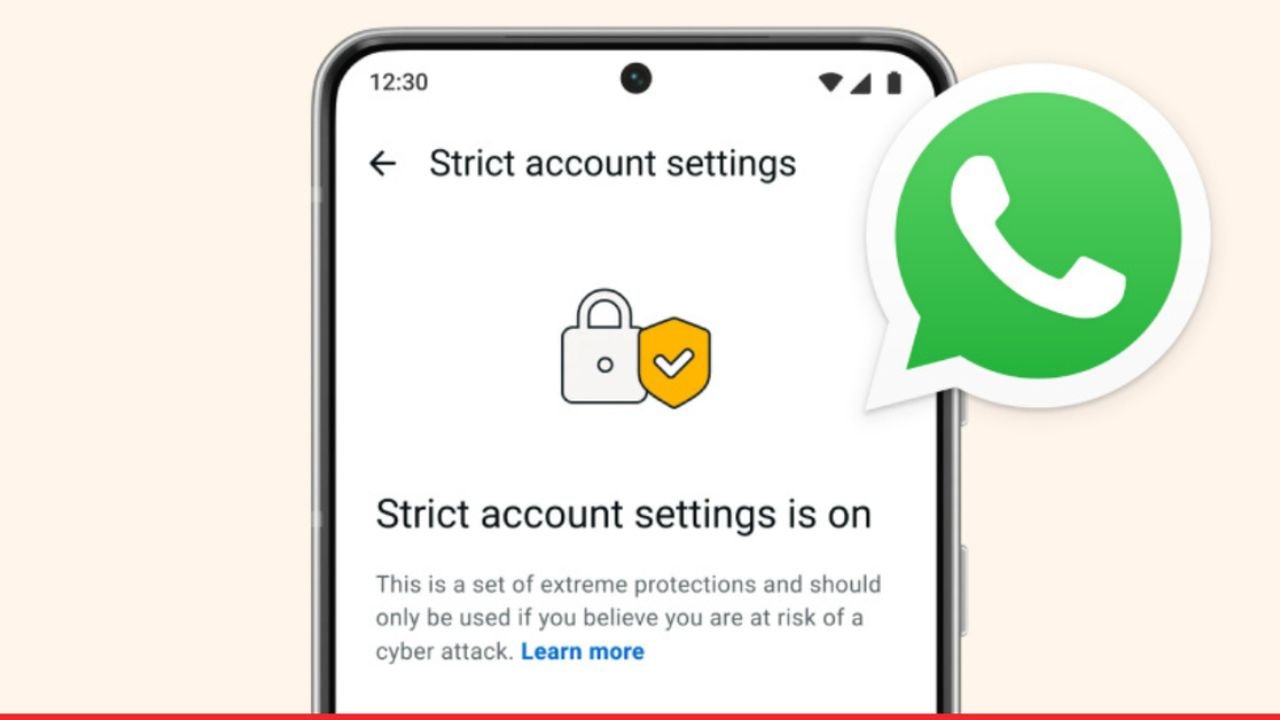
Security threats on messaging apps have grown more serious than most people expect. The virus, viral files, and social-specific phishing attacks are now being targeted on a daily basis and not only at celebrities. WhatsApp reacted by rolling out one of its greatest security improvements to date. When you just turned on your settings and saw a new option that was warning about cyber attacks, this is precisely what this article is about. WhatsApp strict account settings are an opt-in security mode built for users who face real risks of targeted cyber attacks.
Meta’s engineers designed it carefully, and it operates at the infrastructure level as well as at the device level. Therefore, as a journalist, activist, or executive, knowing this feature will help you to make smarter choices concerning your digital security.
What Are WhatsApp Strict Account Settings?
WhatsApp strict account settings is a hardened security mode that WhatsApp introduced in early 2026. The app presents a visible warning when you do it: only then, when you think that you are actively in danger of being a victim of a cyber attack, turn it on. It is not a simple legal caution that warning.
The reasoning was described by Daniel Sommermann and Baojun Wang, meta software engineers, in an intricate technical blog. They reasoned that WhatsApp always morphed its push-and-pull strategy against cyber threats and maintained the platform as useful to billions of users. Consequently, the team developed a two-layered security model. The majority of users are kept on default settings and those who are at risk can opt to go into hardened mode.
1. Why Meta Introduced This Feature
The launch was catalyzed by a wave of attacks on iOS users by spyware. The journalists, lawyers, and activists had their phones exploited by advanced tricks. WhatsApp required a solution beyond a code patch. Thus, rigorous account setting was the point.
2. Who the Feature Is Designed For
This mode is not for general users. WhatsApp designed it specifically for people facing elevated digital threats. The target group includes:
- Investigative journalists covering sensitive political stories
- Human rights activists in countries with heavy government surveillance
- Legal professionals handling high-profile cases
- Corporate executives managing confidential business intelligence
- Political figures targeted by foreign actors
- Anyone previously confirmed as a spyware target
WhatsApp New Rules and What Changed for Users in 2026
The WhatsApp new rules introduced alongside this feature reflect a real shift in how Meta categorizes user risk. Before 2026, every user operated under the same security framework. That approach no longer applies.
Here is what practically changed across the platform:
- WhatsApp now officially recognizes that different users face different threat levels
- High-risk users get access to a separate, stricter security mode
- Media file validation became more aggressive across all accounts, not just strict mode
- File type spoofing detection through a system called Kaleidoscope went live at the infrastructure level
- PDF scanning for embedded malicious elements became a standard background process
Think of it this way. A human rights activist in a country with active government surveillance faces a completely different threat than someone messaging family members. The WhatsApp new rules acknowledge that difference and give each group appropriate tools.
Standard Mode Versus Strict Account Settings
| Feature | Standard Mode | Strict Account Settings |
| Media from unknown senders | Delivered with warning | Blocked automatically |
| File type validation | Standard Wamedia check | Enhanced Kaleidoscope scan |
| Unknown caller handling | Optional silence toggle | Enforced by default |
| IP address protection | Optional toggle | Reinforced and active |
| PDF embedded element scanning | Basic check | Active risk indicator analysis |
| Parser exploit detection | Limited | Full Kaleidoscope coverage |
| Target audience | All users | High-risk users only |
| Impact on normal messaging | None | Moderate restrictions apply |
How WhatsApp Strict Account Settings Work Behind the Scenes
The protection here operates at two levels. First, it handles what happens before a file reaches your phone. Second, it controls what happens the moment you receive a message. Together, these two layers create a strong barrier against media-based attacks.
1. The Wamedia Library and File Scanning
Every media file sent through WhatsApp passes through an internal system called Wamedia before it lands on your device. Wamedia checks the actual structure of each file, not just its name or extension. So, a video file that contains malicious code hidden inside its metadata fails this check automatically and never reaches the recipient.
Wamedia had an initial implementation using C++, the high-performance programming language that is known to have memory safety hazards. Such vulnerabilities are important since attackers can take advantage of memory vulnerability to crash the systems or unlawfully access them. The WhatsApp engineers later re-implemented Wamedia completely in Rust, a new language that blocks memory bugs at a compiler level.
The results were significant. Engineers replaced 160,000 lines of C++ with just 90,000 lines of Rust. The new version was simultaneously more secure and more efficient. Meta described this as potentially the largest global rollout of any Rust-based library. It now runs across Android, iOS, Mac, Web, and wearable devices.
2. The Kaleidoscope Detection System
ISIS attackers have become savvy in concealing bad files. They hide one of the executable files as a JPEG picture or modify the MIME type of a file in such a way that it can pass as harmless. WhatsApp built Kaleidoscope specifically to catch this behavior. The system compares a file’s declared type against its actual internal structure at the byte level. When these don’t match, the file gets blocked before delivery.
Kaleidoscope also targets parser differential exploits. These are attacks where a file is crafted to trigger bugs in the specific library that processes it. Advanced threat actors use these techniques against high-value targets, which is exactly why Kaleidoscope exists.
The Android Stagefright Story Behind WhatsApp Media Security
To understand why WhatsApp built such an aggressive media scanning system, you need to go back to 2015. Hackers found a huge security flaw in Google Android’s Stagefright playback engine. US Cybersecurity and Infrastructure Security Agency affirmed that malefactors could use this vulnerability to access multimedia files or even gain complete power over an affected device. Android versions 2.2 to 5.1.1r5, which included the vulnerability, impacted a massive percentage of Android users worldwide.
The core problem was simple but dangerous. Users didn’t update their operating systems fast enough. WhatsApp couldn’t wait for millions of people to patch their phones. So, it modified its own library to detect files that didn’t conform to the MP4 standard. Files that failed the check were blocked automatically. WhatsApp protected its users from Stagefright faster than any Android patch could have achieved.
Real-world example: A journalist using WhatsApp in 2015 with an unpatched Android phone would have been completely exposed to Stagefright attacks. WhatsApp’s in-app protection became the actual shield, not an OS update. That experience directly shaped how Meta thinks about media security today.
Check WhatsApp New Features 2026: Usernames, Calls & Privacy
WhatsApp Security Privacy Features Every User Should Know
WhatsApp’s security stack goes well beyond strict mode. These WhatsApp security privacy features work across all accounts and form the foundation that strict mode builds on top of. Even if you never activate strict mode, these features give you solid protection when used correctly.
1. End-to-End Encryption
All messages, calls, photos and videos are delivered as the Signal Protocol away in end-to-end encryption. The content can only be read by the sender and recipient. Not even Meta’s servers can access it during transmission. This remains the single most important privacy feature WhatsApp offers.
2. Two-Step Verification
Two-step verification will also include the use of a PIN when anyone is registering their phone number on a new device. And even without this PIN, nobody who has stolen a SIM card can access your WhatsApp account. This will prevent SIM-swapping attacks, one of the most frequently used account takeover techniques, directly.
3. Disappearing Messages
Disappearing messages automatically delete conversations after 24 hours, 7 days, or 90 days. For sensitive conversations, this limits how long private information exists on any device. So, even if someone accesses your phone later, older messages are already gone.
4. Protect IP Address in Calls
This environment takes voice and video calls over the servers of WhatsApp rather than establishing a peer-to-peer connection. In its absence, the other side can be told your real IP address, which can identify your approximate location. When this setting is on, they can only view the addresses of Meta’s servers.
5. Chat Lock
Face-to-face conversations have the ability to be secured by biometric verification and remain unseen on the list of chats. Someone may pick up your phone, which is unlocked but cannot get into your locked conversations unless he or she scans with the fingerprints or face.
6. Linked Devices Transparency
WhatsApp shows every device currently connected to your account. Whereas an attacker connects your account with a suspicious device that you do not know, you can also detect and delete it here. The majority of users do not check this, and this is why it is one of the least popular security tools.
WhatsApp Security Privacy Features: Best Practices Right Now
Powerful security of WhatsApp does not need to be technical. These practices encompass most of the existing real threats affecting regular and high-risk users. You will be far ahead of the majority of the users by following half of these steps.
- Turn on two-step verification immediately if it isn’t already active
- Review your linked devices list at least once a month
- Set disappearing messages to 7 days for any sensitive ongoing conversations
- Enable “Protect IP Address in Calls” under Privacy settings
- Use Chat Lock for your most confidential contacts
- Keep WhatsApp and your device operating system fully updated at all times
- Never open media files from contacts you don’t recognize
- Enable screen lock with biometric authentication for the app itself
- Only activate WhatsApp strict account settings if your threat level genuinely warrants it
- Report suspicious messages through WhatsApp’s built-in tool before deleting them
Common Mistakes People Make With WhatsApp Security
Most people tend to believe that everything is fine with end-to-end encryption and that it covers all inevitable privacy issues. It doesn’t. Your messages are encrypted and are safe during transit, but not in a compromised gadget, an infected file that you have downloaded, or a stolen account through SIM-swapping.
These are the most common mistakes worth avoiding:
- Skipping two-step verification because it feels like extra effort
- Never checking the linked devices section for unauthorized connections
- Opening PDFs or video files from unknown contacts without thinking twice
- Ignoring operating system updates and assuming app-level protection is enough
- Enabling strict mode without understanding it will block incoming media from new contacts
What Comes Next for WhatsApp Strict Account Settings?
The Wamedia rewrite in Rust and the Kaleidoscope detection system are not the final step. They signal where WhatsApp’s security architecture is heading. Meta is investing in AI-powered threat detection, which means future versions of Kaleidoscope will likely use machine learning models to identify novel malware patterns rather than just checking known structural anomalies.
Post-quantum encryption is another development worth watching. Current encryption standards are secure against today’s computers, but they face risk from future quantum computing capabilities. WhatsApp and other secure messaging platforms are expected to begin transitioning toward post-quantum cryptographic protocols within the next few years.
The tiered security model introduced by WhatsApp strict account settings also suggests Meta may build intermediate security profiles. Users would then get more fine-grained control based on their actual risk level, rather than choosing between just two options.
Conclusion
WhatsApp strict account settings is a serious tool built for serious threats. The engineering behind it, particularly the Rust-based Wamedia rewrite and the Kaleidoscope file detection system, reflects real investment in security infrastructure. This feature provides valuable defense against the specific attack vectors that advanced threat agents are employing.
To the other users, the security privacy settings currently in place on WhatsApp are already very effective as long as they are properly used. Two-step verification, disappearing messages, IP address protection in calls, and linked device monitoring together cover the threats most users realistically face. The key is using what’s already available instead of assuming default settings are enough. Security is about matching the right protection to your actual risk level, and WhatsApp now gives you the tools to do exactly that.
Know More: How to Hide WhatsApp Chat Without Deleting or Archiving